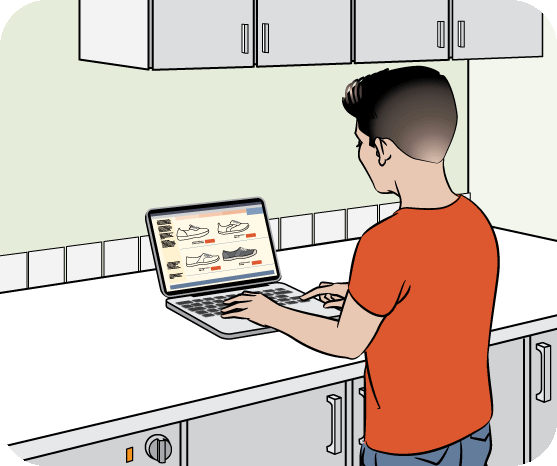
A while ago, I started noticing a dull ache in my neck and shoulders by the end of each day. At first, I blamed long work hours. But when the discomfort turned into daily stiffness—and even mild headaches—I realized the real issue: my screen posture was terrible.
Like many people, I was slouching over my laptop, looking down at my phone, and barely moving for hours. The good news? I didn’t need expensive equipment or major changes. Simple posture habits completely transformed how I felt within weeks.
If you spend a lot of time on screens, this guide will help you improve your posture easily—and feel better every day.
Why Screen Posture Matters
Poor posture while using screens affects more than just your comfort:
- Causes neck, shoulder, and back pain
- Leads to fatigue and low energy
- Reduces focus and productivity
- Increases long-term physical strain
Good posture supports your body, improves breathing, and helps you stay focused longer.
Signs Your Screen Posture Needs Improvement
You might need to fix your posture if you experience:
- Neck or shoulder pain
- Lower back discomfort
- Slouching or leaning forward
- Frequent headaches
- Feeling stiff after screen use
I personally noticed all of these—and small changes made a big difference.
Easy Ways to Improve Your Screen Posture
1. Keep Your Screen at Eye Level
One of the biggest mistakes is looking down at your screen:
- Raise your laptop or monitor to eye level
- Use a stand, books, or a desk setup
- Keep your head in a neutral position
💡 Real-life insight: I used a stack of books to lift my laptop—it instantly reduced neck strain.
2. Sit with a Straight Back
Your sitting posture is key:
- Keep your back straight and supported
- Avoid slouching or leaning forward
- Sit all the way back in your chair
💡 Tip: Imagine a string pulling your head upward—it helps maintain alignment.
3. Keep Your Feet Flat on the Ground
Your lower body supports your upper body:
- Place both feet flat on the floor
- Avoid crossing your legs for long periods
- Use a footrest if needed
This helps maintain balance and reduces back strain.
4. Position Your Keyboard and Mouse Properly
Your arms and wrists matter too:
- Keep elbows at a 90-degree angle
- Place keyboard and mouse within easy reach
- Keep wrists straight, not bent
This prevents unnecessary tension in your arms and shoulders.
5. Avoid Looking Down at Your Phone
Phone posture is a common issue:
- Hold your phone at eye level
- Avoid bending your neck downward
- Take breaks from prolonged phone use
💡 Real-life insight: I didn’t realize how much phone use affected my neck until I changed this habit.
6. Take Regular Posture Breaks
Even good posture isn’t enough if you sit too long:
- Stand up every 30–60 minutes
- Stretch your neck, shoulders, and back
- Walk around for a few minutes
Movement helps reset your posture naturally.
7. Strengthen Your Core and Back
Strong muscles support better posture:
- Do simple exercises like planks or stretches
- Practice light yoga or mobility exercises
- Focus on strengthening your back and core
💡 Tip: Even 10 minutes a day can improve posture over time.
8. Use a Supportive Chair
Your chair plays a big role:
- Choose a chair with back support
- Adjust height so your screen is at eye level
- Use a cushion if needed
A comfortable setup makes good posture easier to maintain.
9. Relax Your Shoulders
Tension often builds in the shoulders:
- Keep shoulders relaxed, not raised
- Avoid hunching forward
- Check your posture regularly
💡 Real-life insight: I realized I was constantly tensing my shoulders—relaxing them made a big difference.
10. Be Mindful of Your Posture
Awareness is the first step:
- Check your posture throughout the day
- Set reminders if needed
- Correct yourself gently
Good posture becomes natural with practice.
Simple Daily Posture Routine
| Time | Habit | Benefit |
|---|---|---|
| Morning | Adjust workstation | Prevent strain |
| Work hours | Maintain posture | Reduce fatigue |
| Every hour | Stretch or walk | Reset body |
| Afternoon | Check alignment | Stay comfortable |
| Evening | Light stretching | Relax muscles |
Practical Tips That Actually Work
- Use a mirror or camera to check your posture
- Set posture reminders on your phone
- Keep your screen directly in front of you
- Avoid working from bed or couch for long periods
- Stretch your neck gently during breaks
Common Mistakes to Avoid
- Slouching for long periods
- Keeping screens too low
- Ignoring discomfort signals
- Sitting without back support
- Using your phone with your head down
Avoiding these mistakes can prevent long-term issues.
FAQs About Screen Posture
1. How long should I sit before taking a break?
Take a break every 30–60 minutes to stretch and move.
2. Can poor posture cause headaches?
Yes. Neck and shoulder tension can lead to headaches.
3. Do I need expensive equipment for good posture?
No. Simple adjustments like raising your screen and sitting properly are enough.
4. Is standing better than sitting?
Both are good. The key is to switch between them and avoid staying in one position too long.
5. How long does it take to improve posture?
With consistent effort, you can notice improvements within a few weeks.
Conclusion
Improving your screen posture doesn’t require big changes—it’s about small, consistent habits. By adjusting your screen height, sitting properly, taking breaks, and staying mindful of your posture, you can reduce pain, improve comfort, and boost your daily productivity.
Start with one or two changes today. Over time, these habits will become natural, and you’ll notice a big difference in how your body feels.
Your posture matters—take care of it every day, especially in a screen-focused lifestyle.